
Client compliance items
Client compliance items are the requirements you track against each client profile. You configure the master list in Maintenance → Clients → Client Compliance, and individual items are then added to the client profile compliance tab. To add a new compliance item, click Add Compliance Item and enter the necessary details. You can edit any compliance item after it’s been added to the list.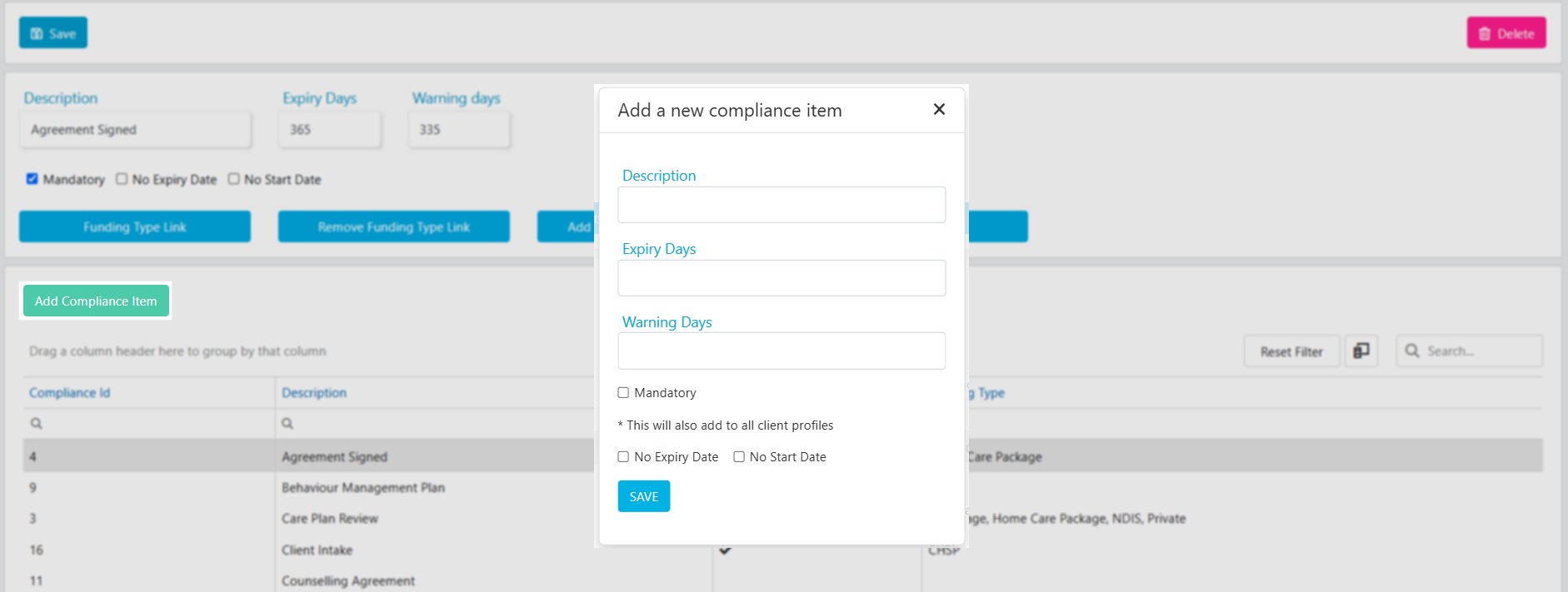
Linking compliance items to funding types
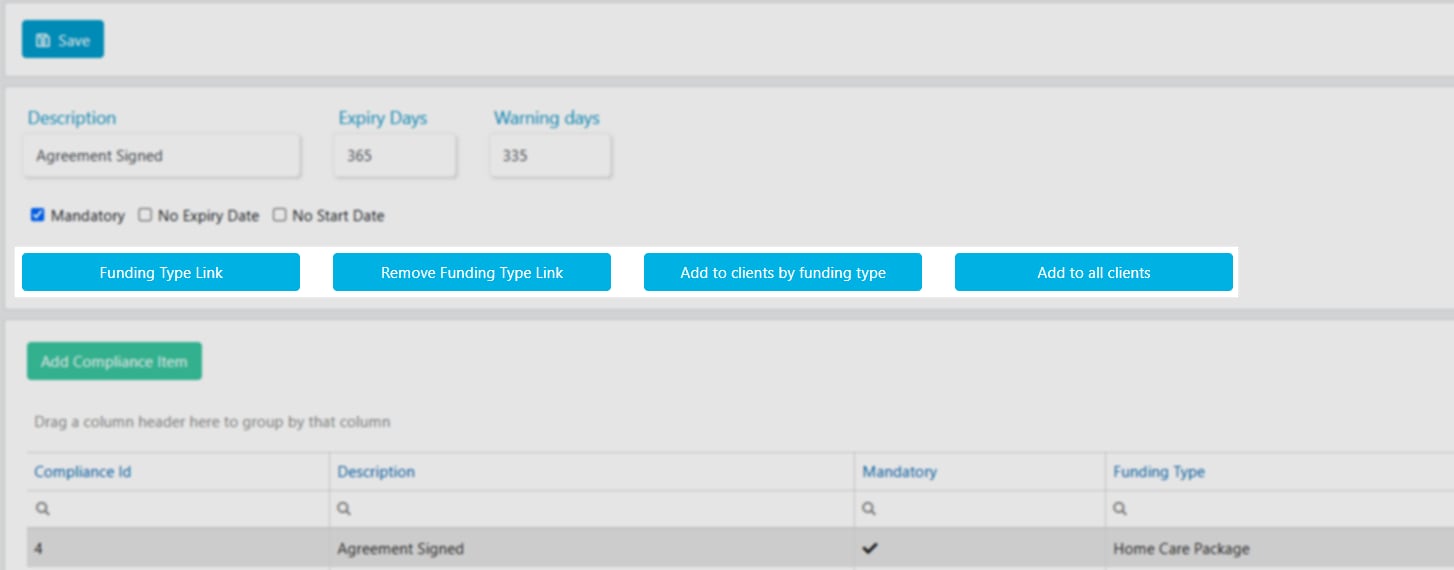
There are several options for linking compliance items to client profiles:- Link to a funding type - the compliance item is tied directly to a specific funding type
- Add to clients by funding type - the compliance item is added to all clients with a particular funding type
- Add to all clients - the compliance item is added to every client regardless of their funding type
If client compliance items are not linked to any funding type, all compliance items are automatically added to new client profiles when they are created.
Client compliance templates
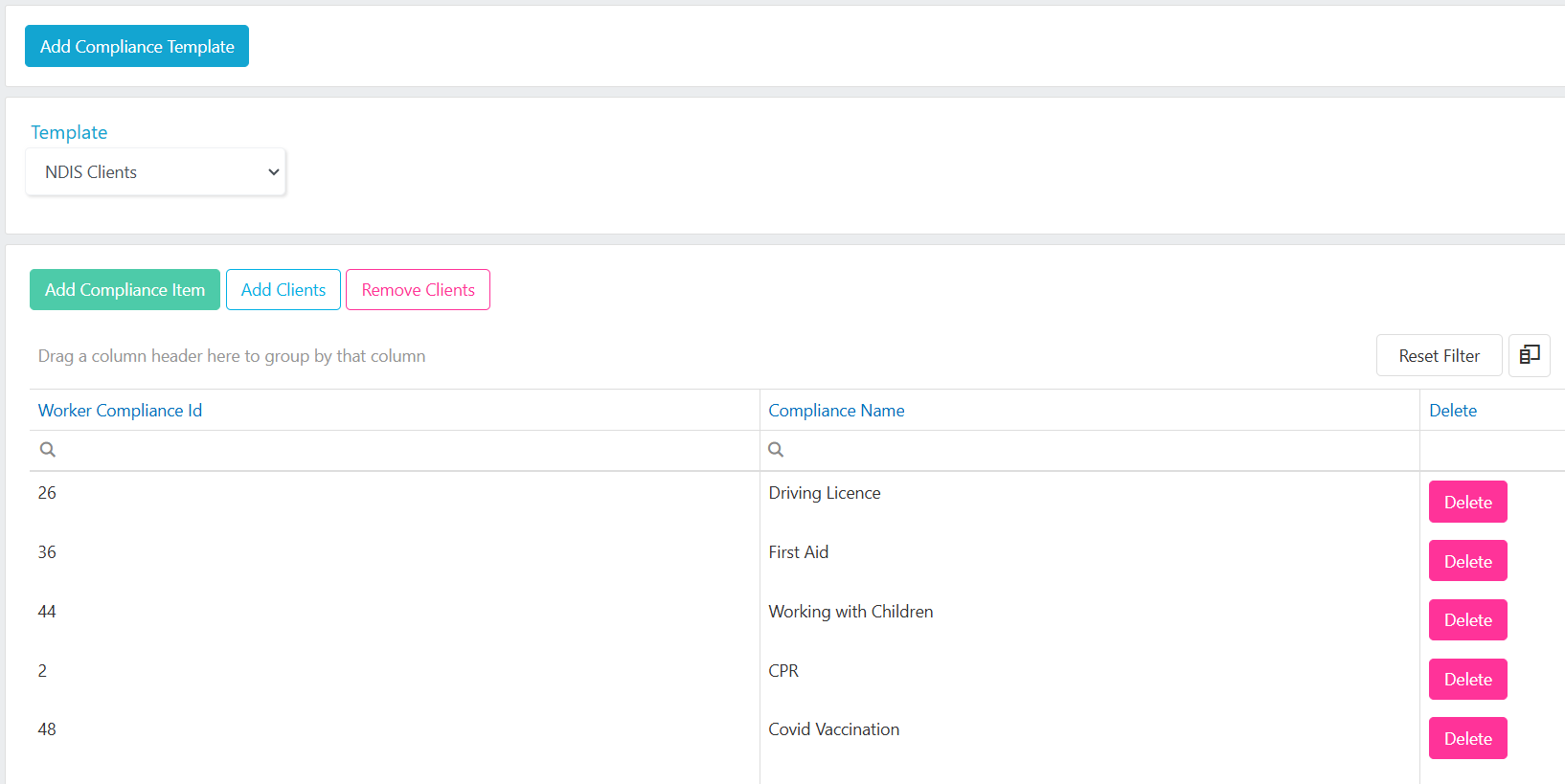
Client compliance templates let you add multiple required worker compliances to the client profile preferences tab in one go. This is useful when a client has specific requirements about which worker compliance items their support workers need to hold.1
Create the template
Go to Maintenance → Clients → Client Compliance Template. Click Add Compliance Template, enter the Template Name, and click Save.
2
Add compliance items to the template
Click Add Compliance Item, select the items from the drop-down list, and click Save.
3
Assign the template to clients
Click Add Clients, tick the clients you want to add this template to, and click Save.
The client list only displays clients who don’t already have this compliance template assigned.
Worker compliance items
Worker compliance items are the requirements you track against each worker profile. You configure the master list in Maintenance → Workers → Worker Compliance, and individual items are then managed on the worker profile compliance tab. To add a compliance item, click Add Compliance Item, enter the details below, and click Save.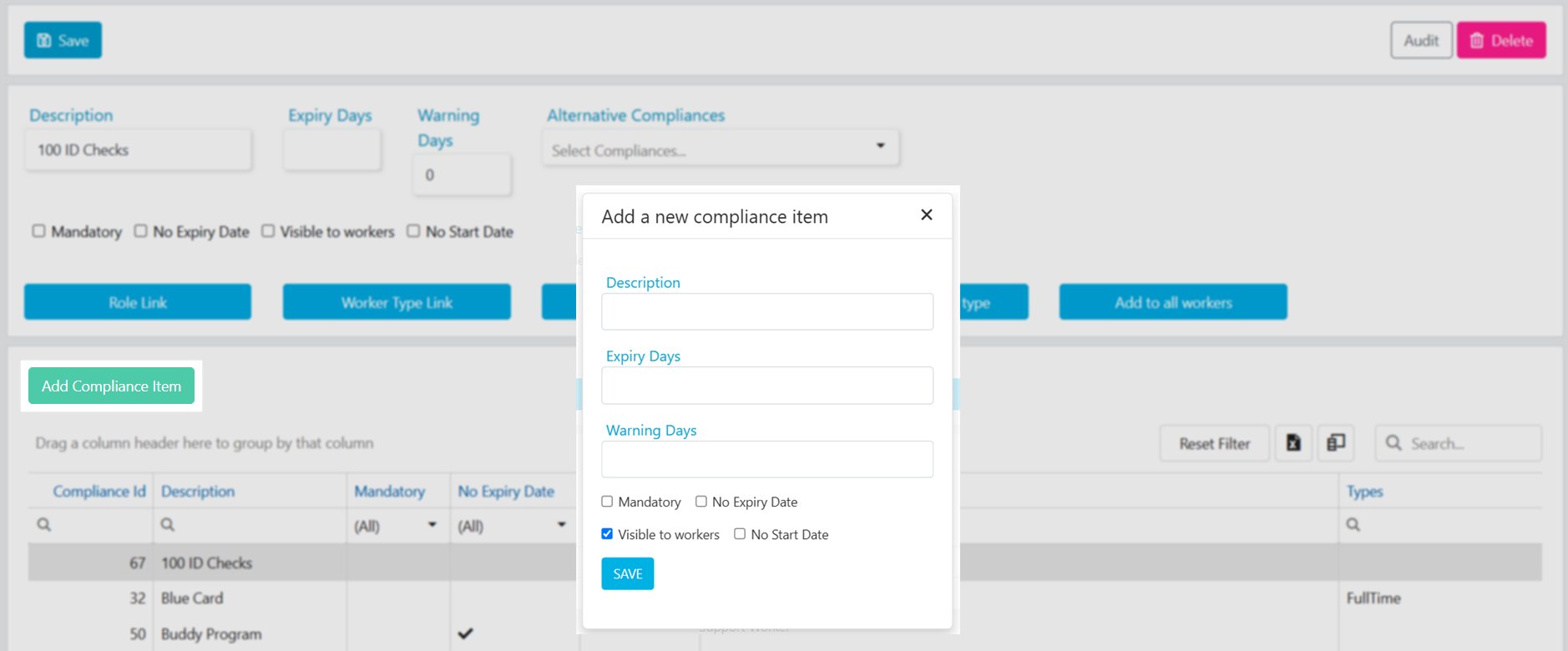
Linking compliance items to roles and types
You can link worker compliance items to a Worker Role or Worker Type. When you do this, workers assigned to that role or type automatically have the linked compliance items added when their profile is created and the role or type is selected. Alternatively, when creating a new compliance item, you can add it to all workers, or add it by role or type using the applicable button.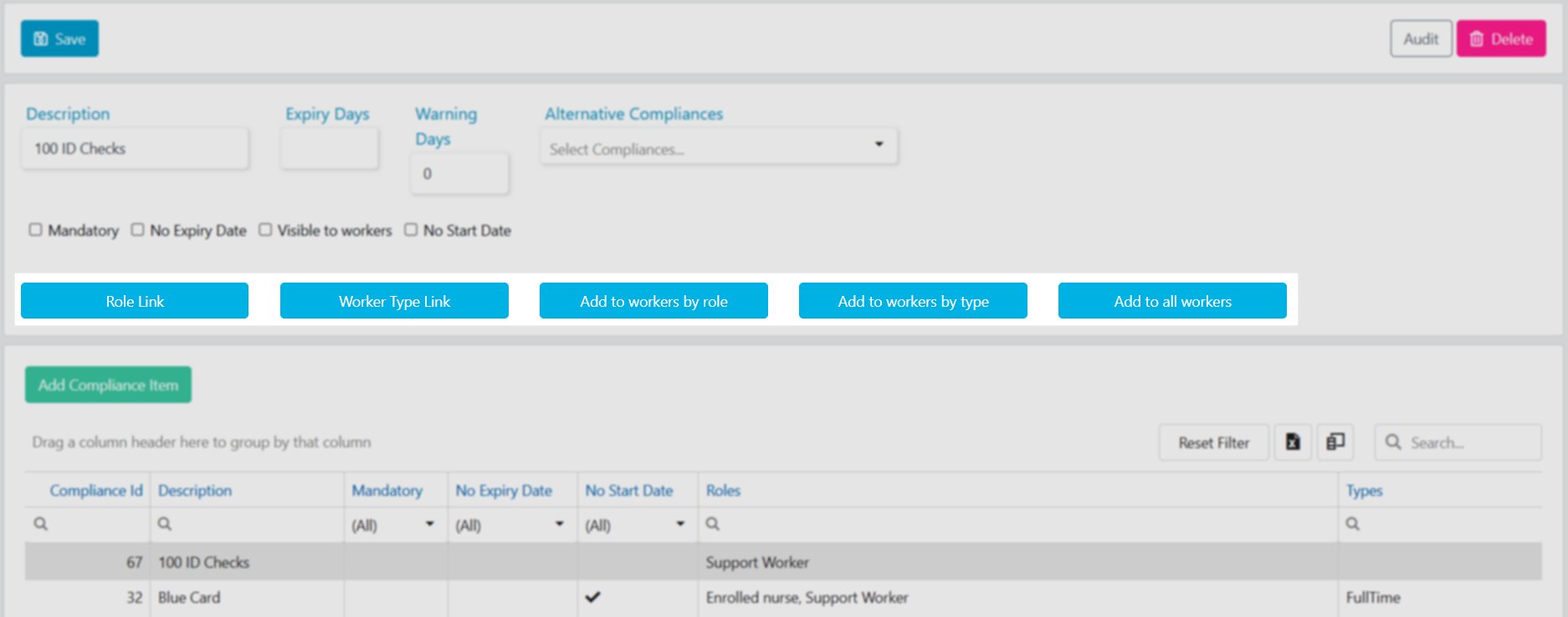
Running into issues?
See Compliance troubleshooting for common errors and fixes.Related articles
Client compliance
Manage compliance items on individual client profiles
Worker compliance
Manage compliance items on individual worker profiles
Client audit reports
Run compliance reports across your client base
Worker audit reports
Run compliance reports across your workforce