
Worker compliance items
Go to Maintenance → Workers → Worker Compliance to manage compliance items.Adding a compliance item
Click Add Compliance Item, fill in the fields below, and click Save.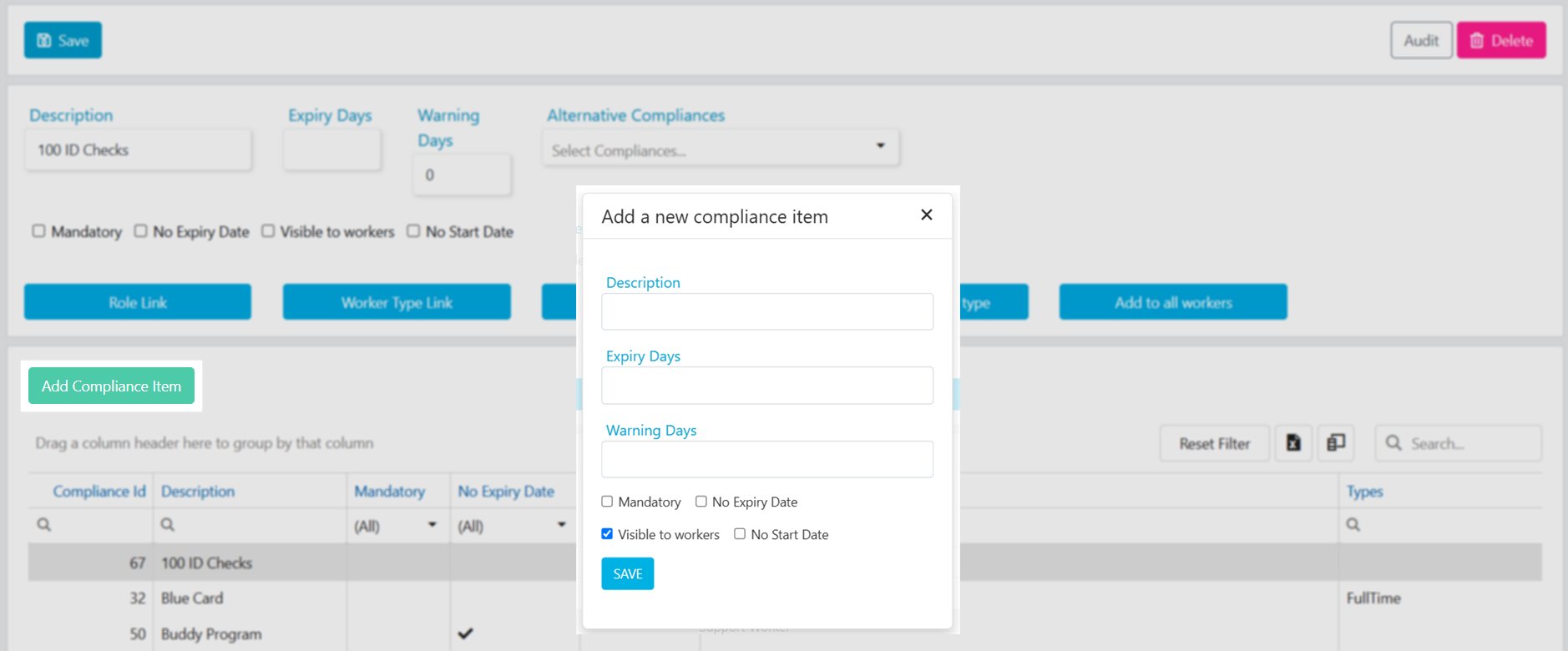
Linking to roles and worker types
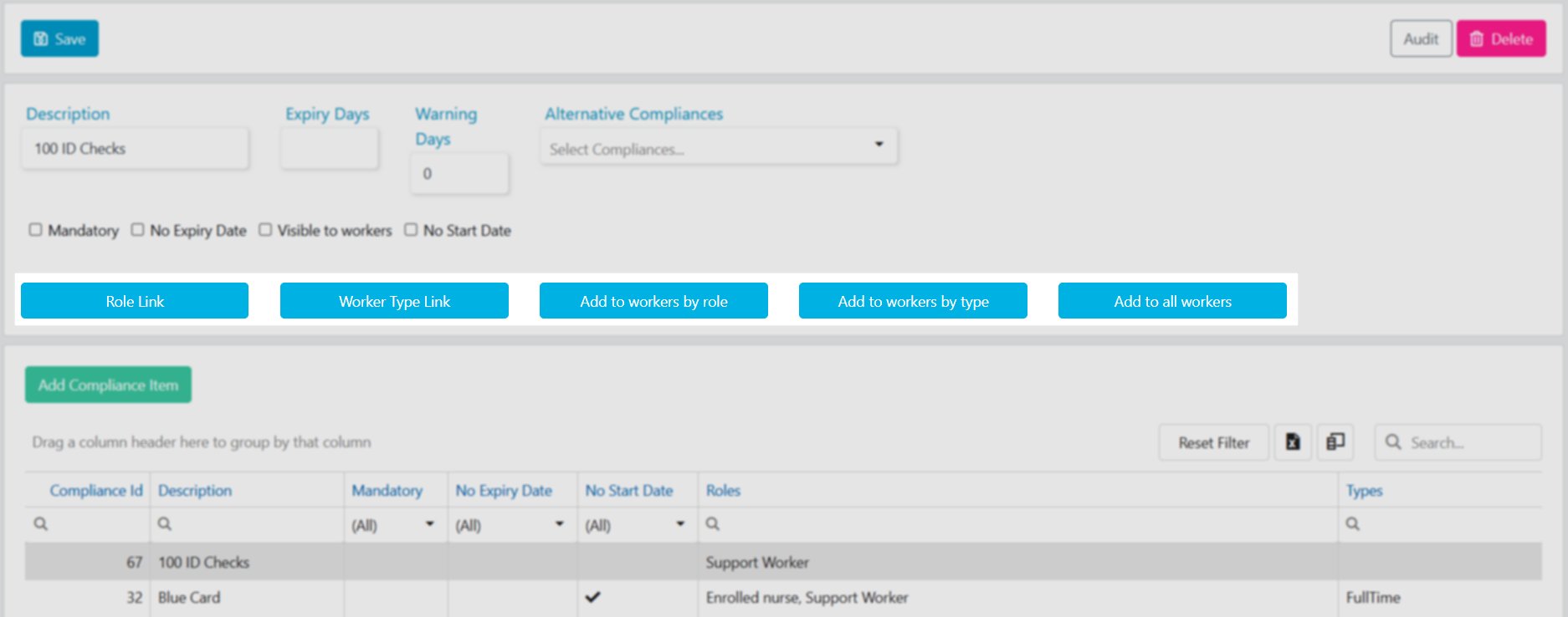
Link compliance items to specific Worker Roles or Worker Types so that only relevant workers see them. When creating a new compliance item, push it to workers using one of these options:- Add to Workers by Role - adds the item to workers with linked roles
- Add to Workers by Type - adds the item to workers with linked types
- Add to All Workers - adds the item to every worker
Worker roles
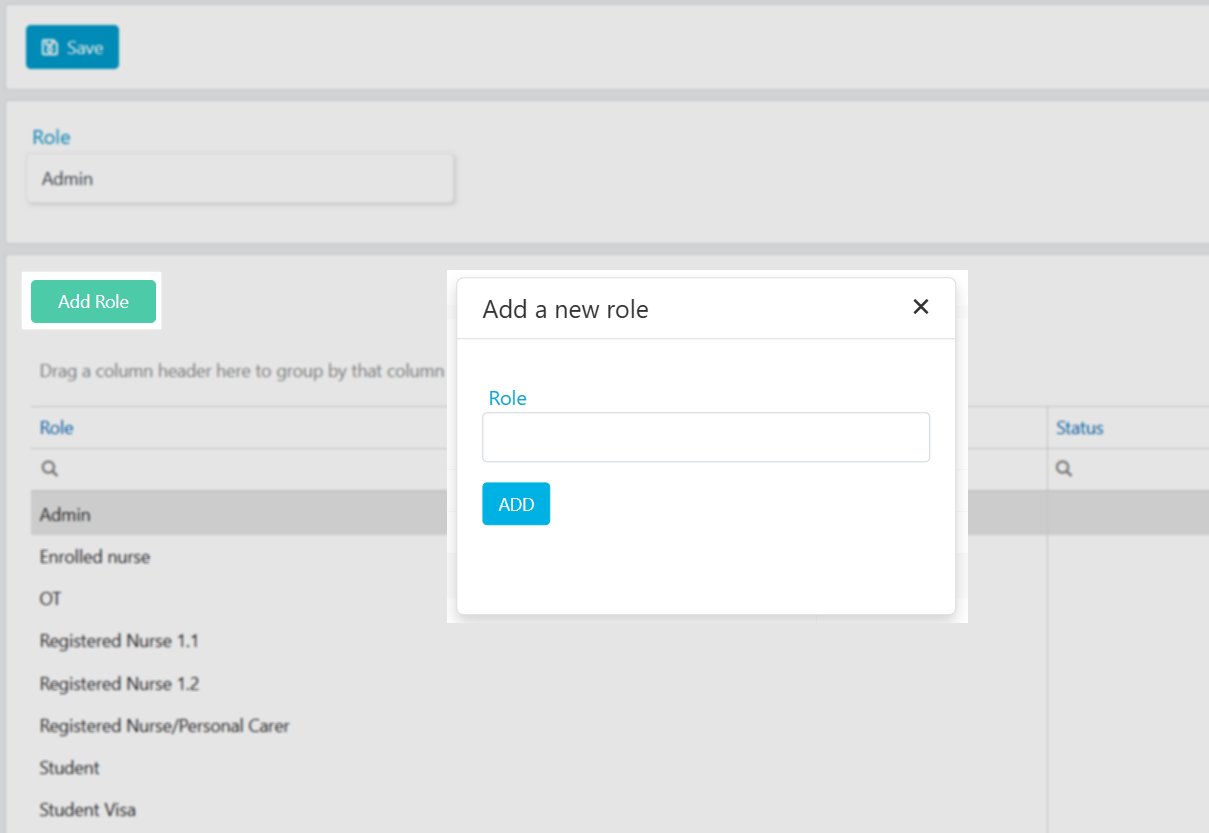
Go to Maintenance → Workers → Worker Roles to manage the list of roles available on worker profiles.- Click Add Role, enter the role name, and click Add
- To delete a role, click on it and select Delete
Skills
Go to Maintenance → Workers → Skills to manage the skills list. Skills assigned to worker profiles assist in searching for workers when rostering.- Click Add Skill, enter the Code and Description, and click Add
- To edit, click the skill, update the description, and click Save
- To delete, click the skill and click Delete
Training items
Go to Maintenance → Workers → Training Items to manage training items.- Click Add Training Items, enter the Code and Description, and click Save
- Link relevant forms to a training item using the Template drop-down
- To edit, click the item, update the description, and click Save
- To delete, click the item and click Delete
Leave types
Go to Maintenance → Workers → Leave Type to manage the leave types available for worker leave requests.- Click Add Leave Type, enter a Leave Code and Leave Type, and click Add
- To edit, click the leave type, update the description, and click Save
- To delete, click the leave type and click Delete
Worker status
Go to Maintenance → Workers → Worker Status to add an additional filtering layer for worker lists.- Click Add Status, enter the detail, and click Add
- To delete, click the status item and select Delete
Running into issues?
See Worker management troubleshooting for common errors and fixes.Related articles
Worker compliance configuration
How compliance items flow from Maintenance to profiles
Managing worker compliance
Day-to-day compliance management on worker profiles
Adding skills
Add skills to a worker profile
Leave requests
Manage worker leave requests