
Client forms
Navigate to the client profile and select the Forms tab to view all forms for that client.
Edit info
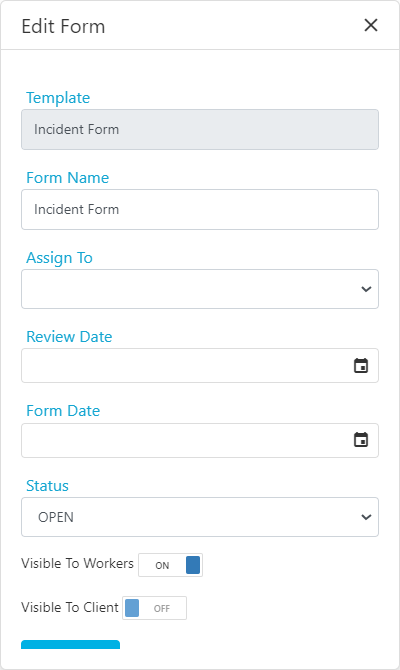
Click Edit Info to update the form’s profile details. You can change the:- Form name
- Assigned to
- Review date
- Status
View and edit data
Click View/Edit Data to open the form and edit any of the details. Only office users have the option to edit form data.Duplicate
Click Duplicate to copy all data from a form into a new form. This is useful when you want to carry forward data into the next period and only update a few details rather than filling out the entire form again. When you duplicate a form, it creates a copy with “(COPY)” added to the form name.Worker forms and compliance linking
In the worker profile, the Forms tab allows you to link completed forms to compliance items. This is helpful for tracking worker compliance through form submissions.Linking a form to compliance
- Go to the worker profile and select the Forms tab
- Click the Select Compliance button under the Link to Compliance column
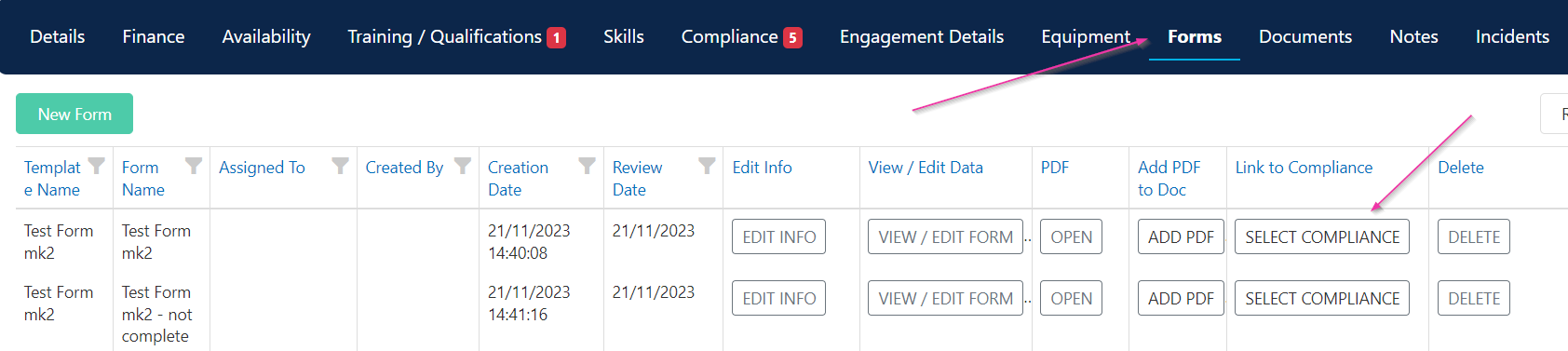
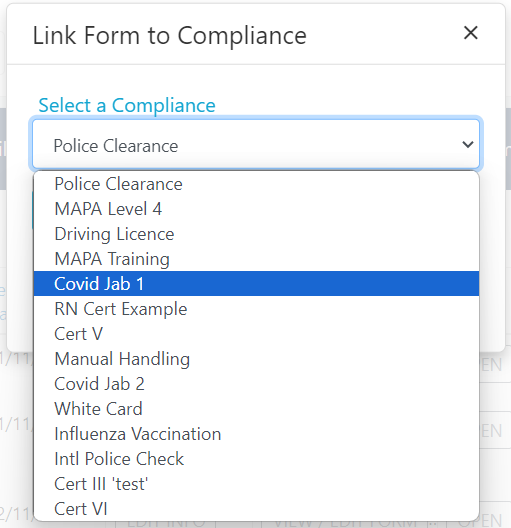
- Select a compliance item to link to
Running into issues?
See General troubleshooting for common errors and fixes.Related articles
Creating forms
Create new forms on client and worker profiles
Form templates
Manage template visibility and role access
Form builder
How form templates are built and configured