
Accessing the NDIS tab
Select a client and navigate to Client Profile → NDIS tab.Generating reports
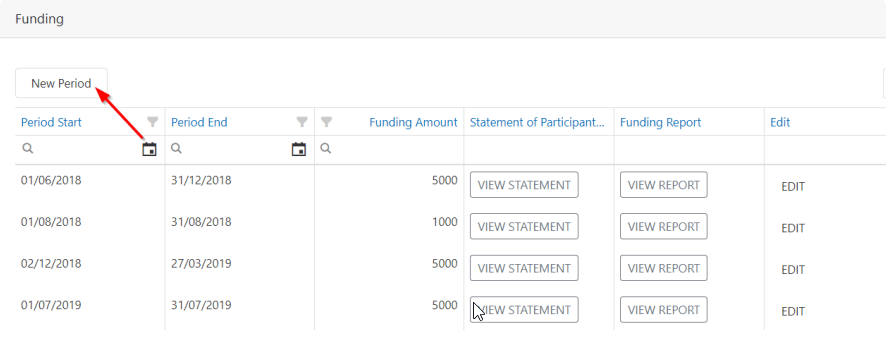
Two reports are available from this tab:- Statement of Participant’s Support - a summary of services provided to the participant
- Funding Breakdown Report - a detailed breakdown of funding usage across active NDIS agreements
Creating a report period
- Click New Period
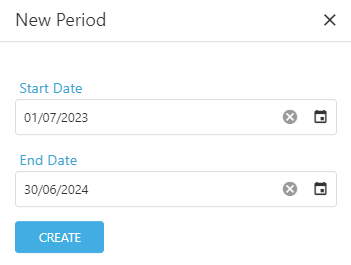
- Enter a start and end date
- Click Create
Running into issues?
See Client management troubleshooting for common errors and fixes.Related articles
NDIS agreements
Create and manage NDIS agreements
Goals
Set and track client goals linked to service categories