> ## Documentation Index
> Fetch the complete documentation index at: https://support.visualcare.com.au/llms.txt
> Use this file to discover all available pages before exploring further.
# Bulk edit tools
> Edit multiple client or worker records at once without opening individual profiles
The bulk edit feature lets you update client or worker details in bulk without opening individual profiles. This is useful for making the same change across many records at once.
## Clients
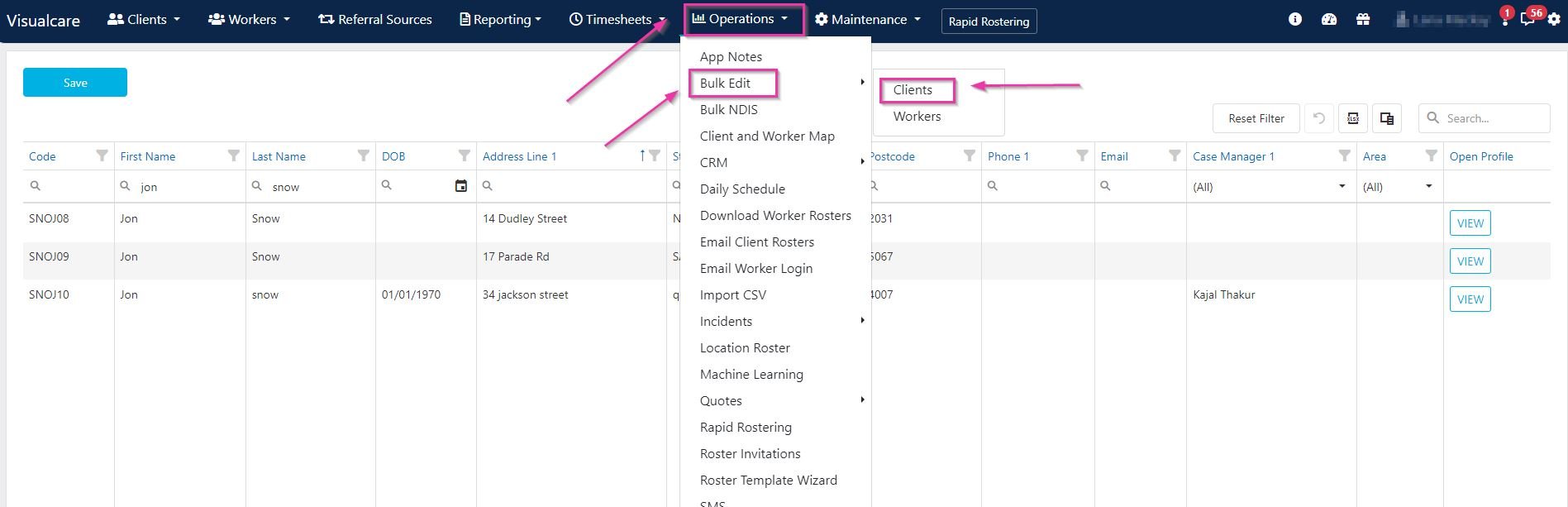
To bulk edit client details, navigate to **Operations** → **Bulk Edit** → **Clients**.
 ### Editing client records
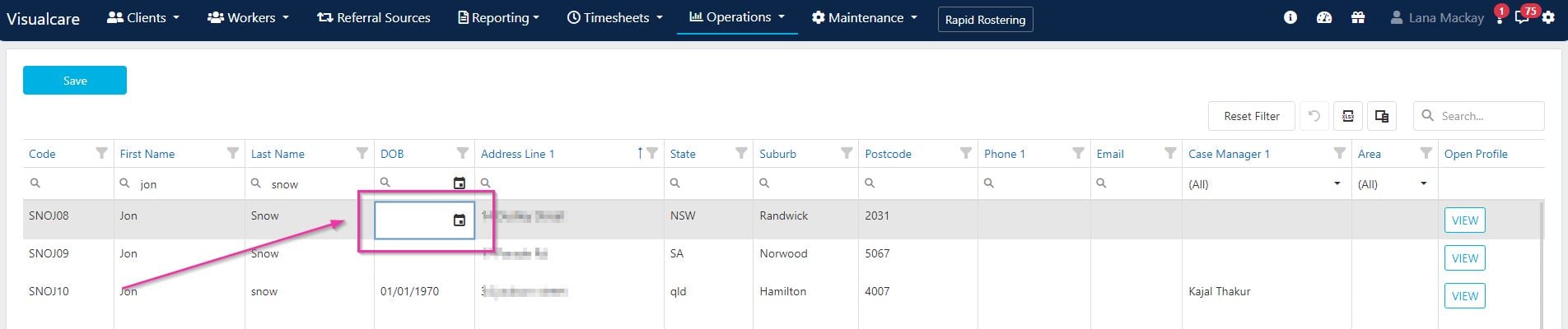
Double-click inside the field you want to update and type in the new information. Click **Save** after entering the information.
### Editing client records
Double-click inside the field you want to update and type in the new information. Click **Save** after entering the information.
 ### Adding columns
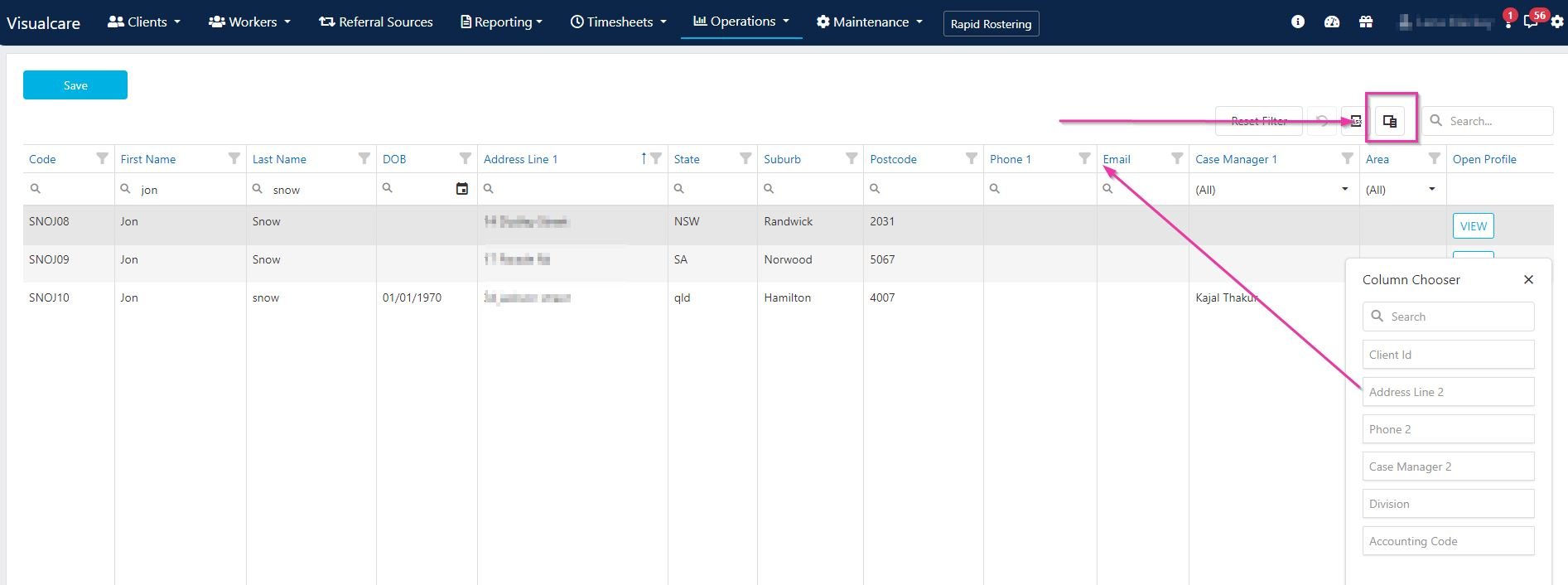
Use the **Column Chooser** to drag out additional columns for editing. This lets you display and edit fields that aren't shown by default.
### Adding columns
Use the **Column Chooser** to drag out additional columns for editing. This lets you display and edit fields that aren't shown by default.
 ## Workers
To bulk edit worker details, navigate to **Operations** → **Bulk Edit** → **Workers**.
## Workers
To bulk edit worker details, navigate to **Operations** → **Bulk Edit** → **Workers**.
 ### Editing worker records
Double-click inside the field you want to update and type in the new information. Click **Save** after entering the information.
### Editing worker records
Double-click inside the field you want to update and type in the new information. Click **Save** after entering the information.
 ### Adding columns
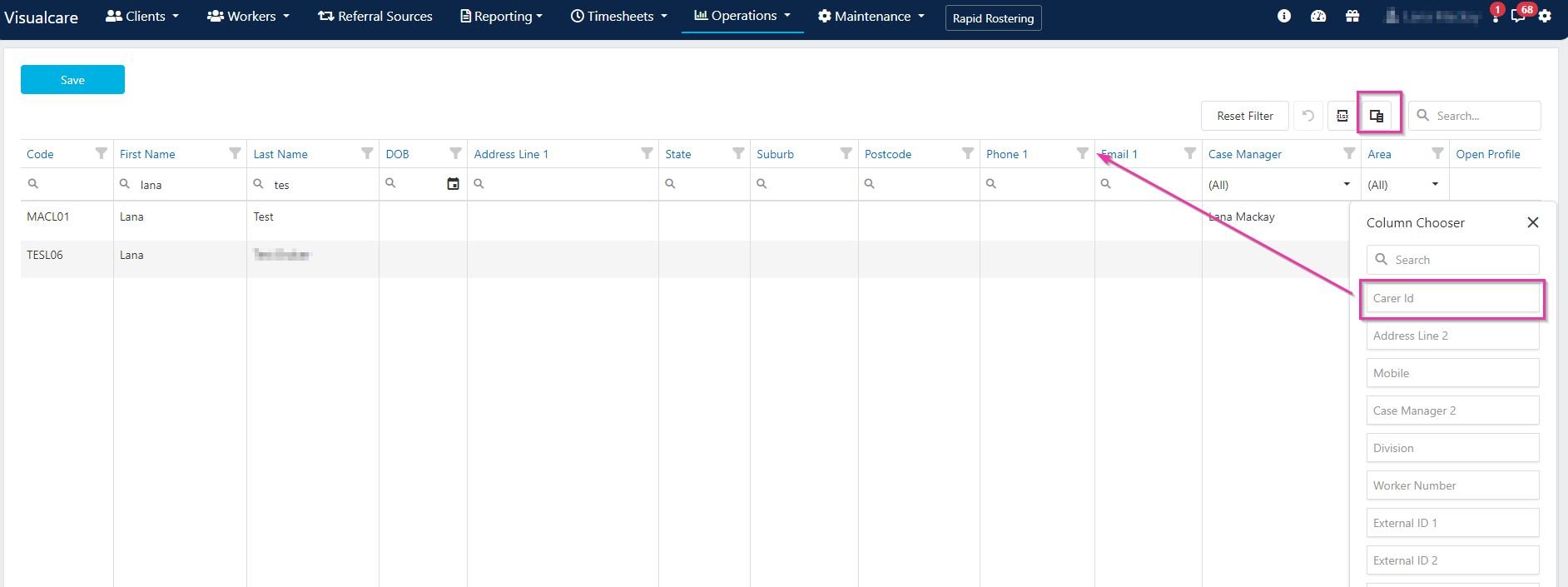
Use the **Column Chooser** to drag out additional columns for editing.
### Adding columns
Use the **Column Chooser** to drag out additional columns for editing.
 ## Running into issues?
See [General troubleshooting](/troubleshooting/general) for common errors and fixes.
## Related articles
Import new records in bulk using CSV files
Manage services, charge rates, and pay rates
Customise categories, areas, divisions, and other list values
## Running into issues?
See [General troubleshooting](/troubleshooting/general) for common errors and fixes.
## Related articles
Import new records in bulk using CSV files
Manage services, charge rates, and pay rates
Customise categories, areas, divisions, and other list values