> ## Documentation Index
> Fetch the complete documentation index at: https://support.visualcare.com.au/llms.txt
> Use this file to discover all available pages before exploring further.
# Creating an incident
> How to create and submit an incident record for a client in VCore
Incidents in Visualcare track events or issues that occur during service delivery. They're created either through the Vworker mobile app by support workers in the field, or directly in VCore by office staff.
## How incidents are created
There are two ways an incident gets into Visualcare:
* **From Vworker** - Support workers submit an incident form through the Vworker mobile app. The incident is automatically saved to the client's profile and triggers a notification for office staff
* **From VCore** - Office staff create an incident directly in VCore against a client's profile
## Viewing incidents on a client profile
To view incidents for a specific client, navigate to **Clients** → **Profile** and open the **Incidents** tab.
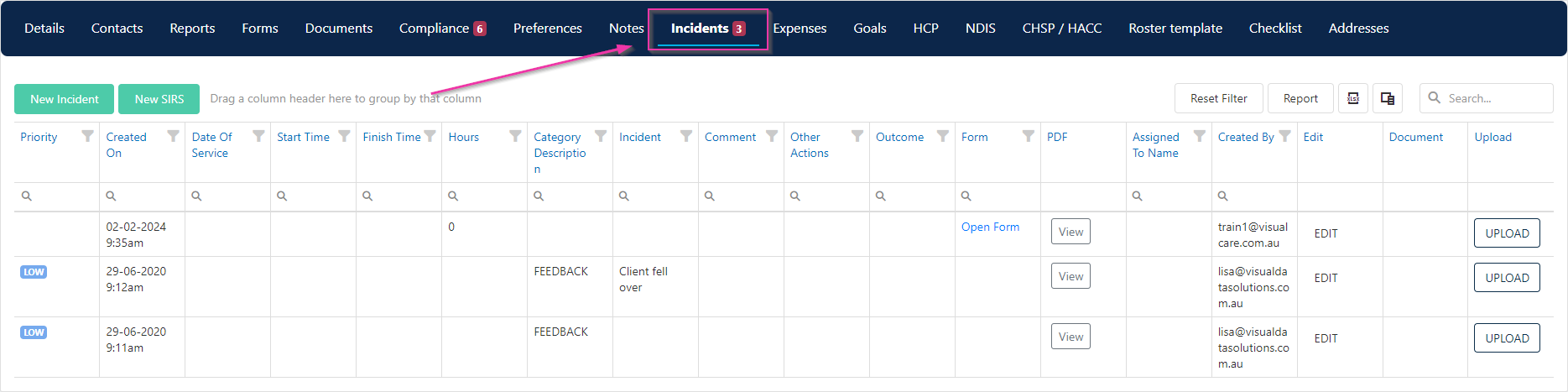 All incidents linked to that client appear here, whether they were submitted from Vworker or created in VCore.
## Viewing all incidents
For a centralised view across all clients, navigate to **Operations** → **Incidents**. This page gives you access to three tabs:
* **Incidents** - All incident records across your organisation
* **Incidents Register** - A register view for tracking and reporting
* **SIRS** - Serious Incident Response Scheme incidents
All incidents linked to that client appear here, whether they were submitted from Vworker or created in VCore.
## Viewing all incidents
For a centralised view across all clients, navigate to **Operations** → **Incidents**. This page gives you access to three tabs:
* **Incidents** - All incident records across your organisation
* **Incidents Register** - A register view for tracking and reporting
* **SIRS** - Serious Incident Response Scheme incidents
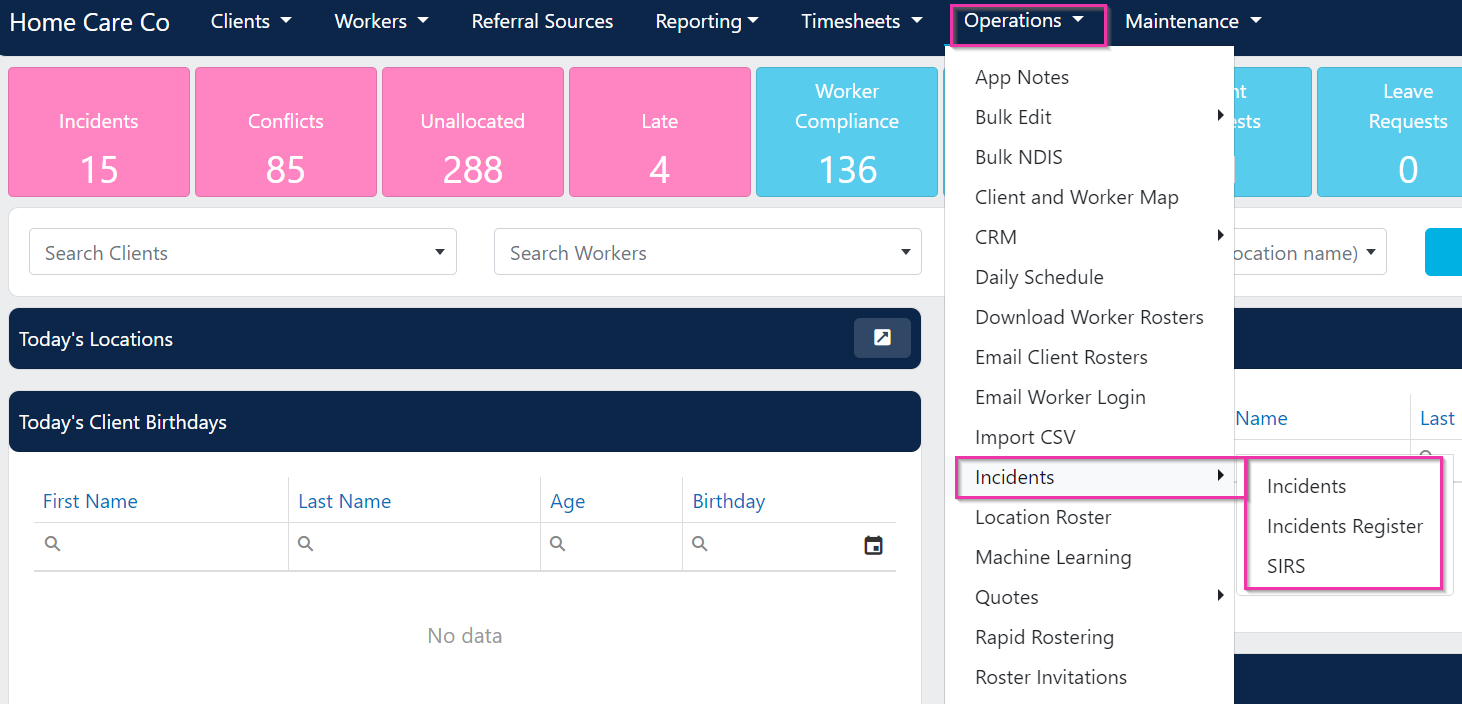 Use the **Operations** → **Incidents** view when you need to review incidents across multiple clients, rather than navigating to each client profile individually.
## Running into issues?
See [Incidents troubleshooting](/troubleshooting/general) for common errors and fixes.
## Related articles
Review and update incident details after submission
Monitor unread incidents from the VCore home page
Create and manage Serious Incident Response Scheme records
Configure the categories used to classify incidents
Use the **Operations** → **Incidents** view when you need to review incidents across multiple clients, rather than navigating to each client profile individually.
## Running into issues?
See [Incidents troubleshooting](/troubleshooting/general) for common errors and fixes.
## Related articles
Review and update incident details after submission
Monitor unread incidents from the VCore home page
Create and manage Serious Incident Response Scheme records
Configure the categories used to classify incidents